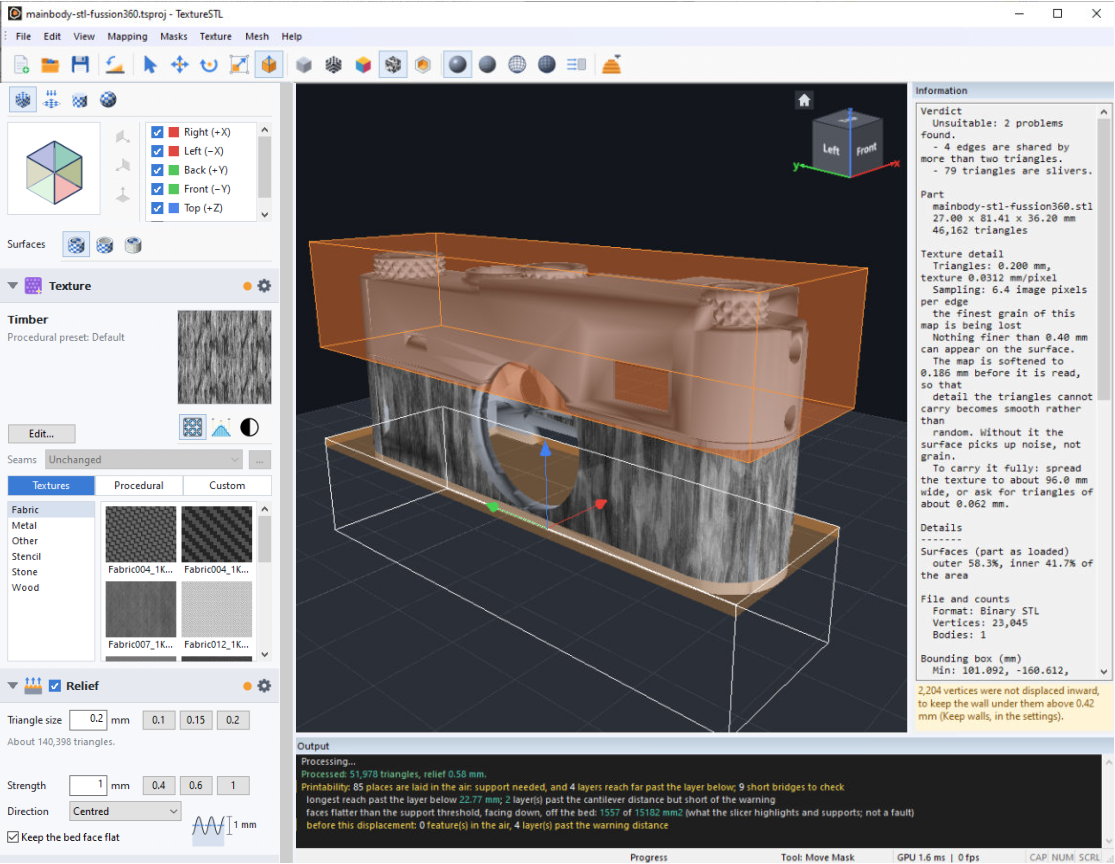
How did I get so gnarly?
It started, as these things always do, with me cutting something in half: a hard drive enclosure, so I
could use SSDs as oversized SD cards. An ordinary day. Then I needed to print a piece for the
opening, and I started wondering why 3D prints don't have proper textures.
There's a reason slicers stop at fuzzy skin. Pushing a mesh around to make texture also makes a
remarkable amount of unprintable garbage. I'd tried it in Blender, with about fifty percent success. I
spent the other fifty fixing what it broke, because Blender has no interest in your slicer or the
hundred little rules that decide whether a part will print.
So I made Gnarl3D: an app that only adds texture, and knows what makes a part printable. The
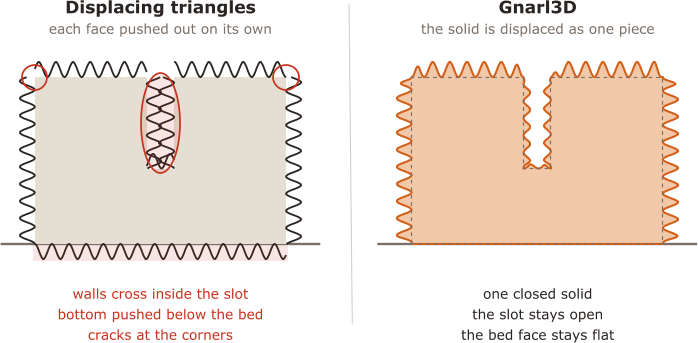
breakthrough came when I gave up on moving triangles around and rewrote the whole thing to
displace the solid, the way a printer builds a part. That's what keeps the walls from crossing and the
edges in one piece.

CRANKY MAN LOVES
3D PRINTING
FOR WINDOWS 10 & 11
Real texture for
3D prints. Beyond
fuzzy skin.
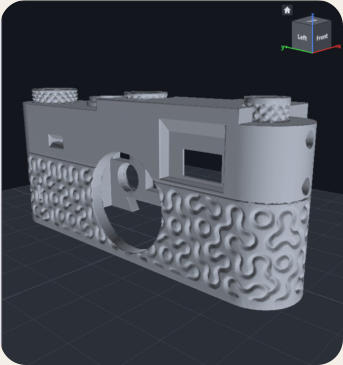
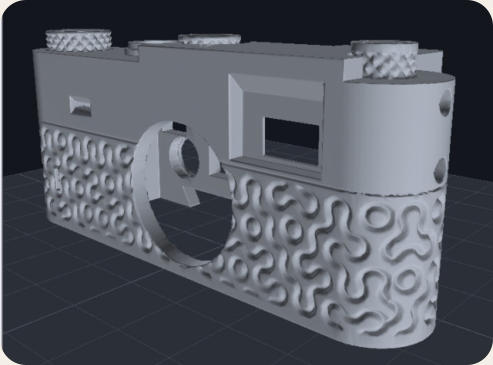
Gnarl3D presses wood grain, knurling, leather, wicker or any
image of your own into an STL as real geometry. The bottom
stays flat on the bed, and the file is checked and repaired before
you slice it.

The Free edition is free for good. Pro is a one-time $25, with free updates forever.


HOW IT WORKS
Pick a texture. Gnarl does the hard part.


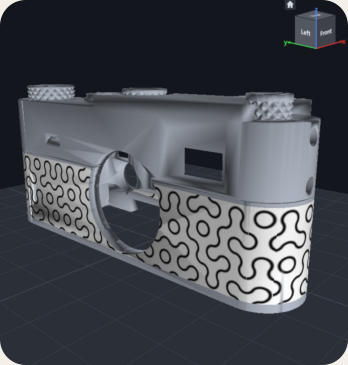
Drop an STL on the window and click a
texture. It appears on the part at once as
a preview, so you can move, turn and
scale it before anything is built.
Choose how deep the relief goes, usually
0.4 to 1 mm. Gnarl3D rebuilds the part
with small, even triangles and presses
the texture into it as real geometry.
Save STL repairs the file and checks it
first, and says Ready to save when it's
clean. Slice it as usual. Your original file
is never overwritten.
MADE FOR PRINTING
Texture that prints.
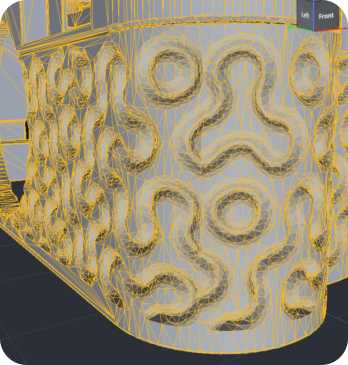
Push the triangles of a mesh outwards and you get texture, plus walls that pass
through each other, a bumpy bottom and loose crumbs. A slicer can't print most of
that, and fixing it by hand takes longer than adding the texture did. Gnarl3D works on
the solid instead of the triangles, the way a printer builds a part, so the relief comes
out as one closed shape.
The bed face stays flat

The part sits on the plate exactly as
before, and nothing ends up below it.

Slots and thin walls are protected
Relief is held back where it would close
a gap or cut through a wall.
Repaired and checked on save
Collapsed triangles, gaps, non-manifold
edges, self-intersections and crumbs
are fixed before the file is written.

Smaller files
Flat areas are merged back into big
triangles, and the relief can be
simplified with Bambu Studio's detail
levels.
TEXTURES
Wood, stone, knurl, wicker, or your own.
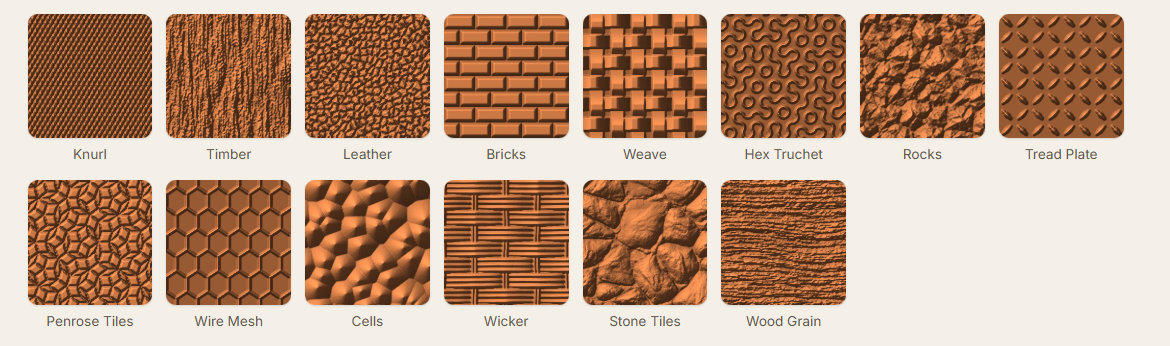
25 procedural patterns that repeat without a seam, most with presets, plus texture
images in multiple categories. Or drop in any greyscale image: light areas are raised,
dark areas are sunk.
THE GNARL
Everything on one screen.
The steps run down the left, the part sits in the middle, and the right-hand pane
says what Gnarl3D found. Only the steps you changed run again.
FREE & PRO
Start free. Go PRO when you like it.
The Free edition is the whole texturing engine, with no time limit and no watermark.
Pro adds round mappings and the tools that keep texture where you want it.


PRO

$0
$25
free for good
once, all updates free
•
Every texture: library, procedural and your own
images
•
Box and Plane mapping, with sides you switch on
and off
•
Relief, Simplify, repair and the print check
•
Saves STL files and projects
•
You don't have to give Cranky Man a dime
•
Everything in Free, plus:
•
Cylinder and Sphere mapping for vases, handles,
bottles and balls
•
Outer surfaces only: bores, slots and pockets stay
smooth
•
Mask volumes: boxes, cylinders and spheres that
keep texture off any area
•
Anything else Cranky Man will add later


Volumetric Masking
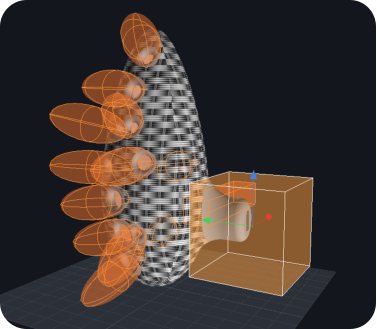
Put a box, cylinder or sphere over a screw hole, a bearing seat, a thread or
a label, and the texture stops at its edge. Feather it and the relief fades in
instead of ending in a step. Outer surfaces only does the same for every
bore and pocket, automatically.
FANCY PRO FEATURE
GNARLY FAQ
Questions, some even answered.

How is this different from fuzzy skin?
Fuzzy skin is your slicer randomly wobbling the wall as it prints. It’s a trick, and it works. Gnarl3D changes the model itself, so
you choose the pattern, where it goes and how deep it is. It also works on top surfaces, where fuzzy skin can't go at all.
Does it work with my printer or slicer?
The input is a STL and the output is a STL, so any slicer should be fine with it: Bambu Studio, OrcaSlicer, PrusaSlicer, Cura.
What makes a texture print well?
Remember what Gnarl3D does: it adds triangles where the texture needs them. More polys can describe finer detail, but your
printer still has to print it. On a typical FDM printer, think roughly 0.2 mm detail, give or take depending on your nozzle,
settings, and print orientation.
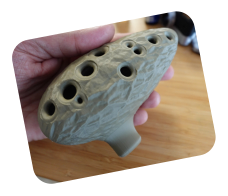
Because FDM builds objects in layers, textures generally look better on the sides than on the top. Give them some room, too.
You can surely add 0.2 mm detail into a 5 mm screw head, but you’ll get a tiny potato blob. Large, flat surfaces like boxes and
rectangular parts work well, as do vases and other cylinders using cylindrical mapping.
Does size matter?
In the 3D printing it does. A larger object needs more polygons to reproduce the same level of detail, so you may end up with
millions of triangles. Slicers can usually handle that, but slicing will take longer. It’s a price to pay, I guess.
Be careful with mechanical parts that need a precise fit. Remeshing can alter their geometry enough that parts no longer fit
together. The Pro version lets you texture only the outside while keeping the inside surfaces flat. This is a sensible choice
when the inside needs to fit something.
Mac or Linux?
Windows 10 and 11 only for now, with a graphics card that supports OpenGL 3.3. It's Cranky Man's fault.
Can I sell prints I make with it?
What? Now that’s a silly question. Of course.
Do updates cost extra?
No. Cranky Man is not that greedy. Every future update is free for Pro owners.
Can I use it for something else?
Incidentally during the development a sort of SOTA Isometric Remeshing was created which is slow (a minute or so) but it
produces super accurate results (far better than other remeshing like the more typical Dualcon). Is not actually used anymore
in the process - as Gnarl very soon after switched to Solid object displacement, but it is still there. So you can load a STL, then
go to Mesh - Remesh Input Mesh, then save it and you have a perfect clean remesh with the detail you specified.
Get Manual.pdf (also installed with the installation)
Open a part, pick a texture
Set the depth, press Process
Save the STL