Dynamic Photo-HDR is a next generation High Dynamic Range Photo Software with Pin-Warping, Anti-Ghosting, Fusion and Color Matching.
"Powerful alignment and deghosting tools for high-dynamic-range generation, six tone mappers, plus lots of postproduction adjustments make MediaChance's Dynamic Photo HDR a real winner for HDR imaging."
2008 Popular Photography Award for Outstanding Product
Here is a typical situation: You see a fantastic high contrast scene and you take a picture. But the result is far from being the magical image you see with your own eyes.
Human eyes are very adaptive and far more sensitive to intensity than any digital camera.
Download Trial version:
You may also watch our interactive demo that will give you a basic tour in just under 2 minutes:
It is estimated that our eye can see over a dynamic range of nearly 24 f-stops while a digital camera can capture a dynamic range around 6 to 9 f-stops at best.
For a well light outside scene such as the one on the right we could set our digital camera to correctly capture either, but hardly both:


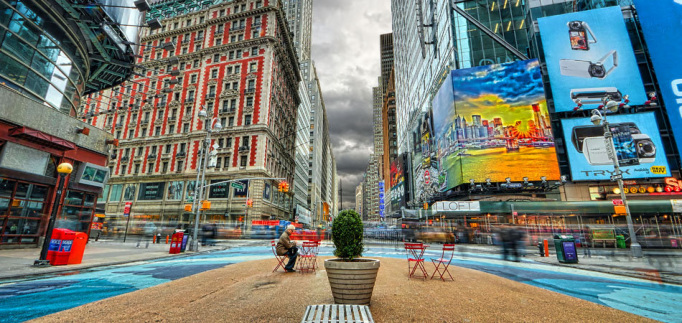
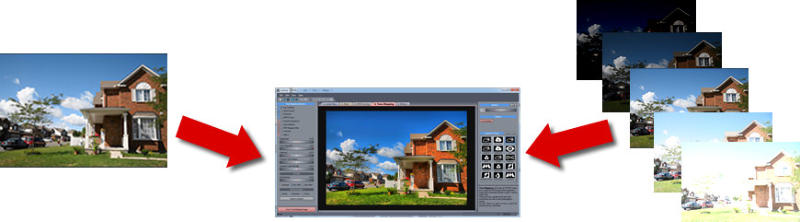
Using HDR technique we can combine the different exposures to create a single image that shows details in both sky and the land.
But we can go even beyond that.
Dynamic Photo HDR not only combine multiple exposures, but there is a whole part dedicated to creating HDR look from a single image!
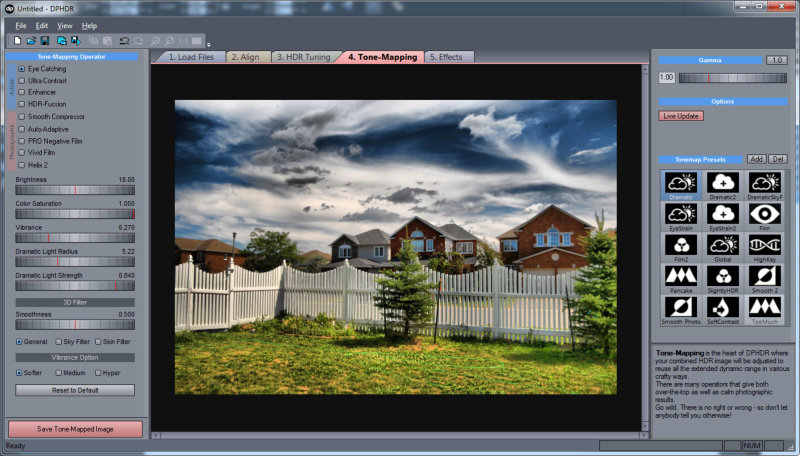
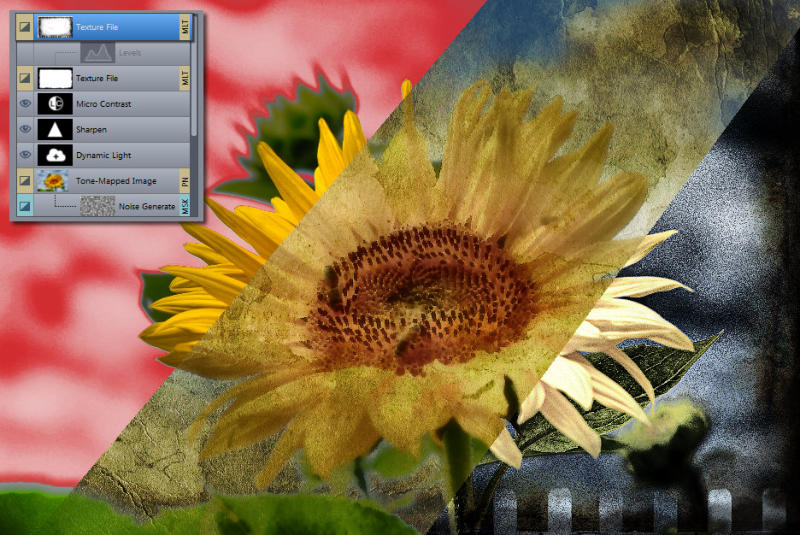
DPHDR gives you option and combination of many different tone-mapping operators from smooth and natural vivid images to surreal art from single or multiple exposures.
We created our software to be fun to use, fast and straight forward. No fiddling with incomprehensible parameters. And as it is common for our products we added many cool features that you may not have seen in any other package.
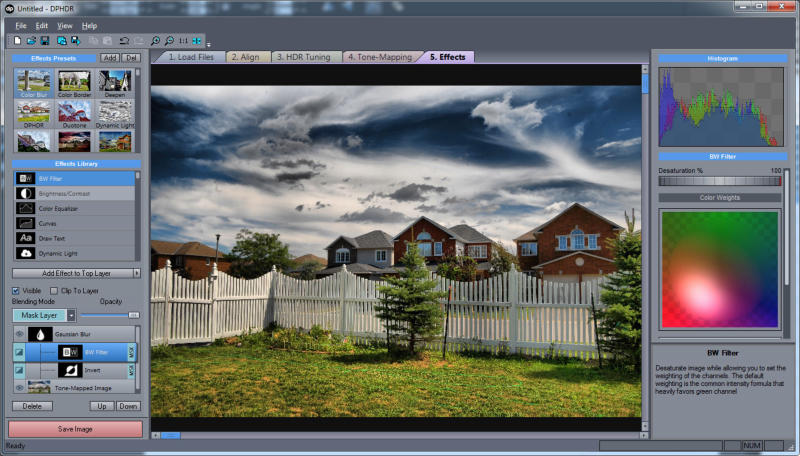
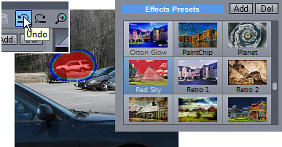
DPHDR has more effects than any other comparable software like the little Planet effect pictured on right.
For example it allows you to paint the Dynamic Light effect just where you want it by using brushes.
QuickHDR - a great companion to DPHDR
QuickHDR is
a great companion to DPHDR. Sometimes you just
want to quickly apply HDR look to an ordinary
image or a folder full of your old images.
QuickHDR is the soloution. It is very fast and highly enjoyable image enhancement software and
a batch processor to
apply many popular Film processing and HDR effects to the
modern digital camera images.
QuickHDR is build from ground-up with the purpose of applying the HDR and Film effect to a single image source.
QuickHDR together with DPHDR and save!
New features/improvements in the latest version:
Version 5.3 (9/Sep/2012) updated RAW for
recent cameras (Now includes Sony RX100,
Canon 5D III, Olympus E-M5 and more)General News for v. 5.x
Improved AligningHighlights from previous version
In a Nutshell:
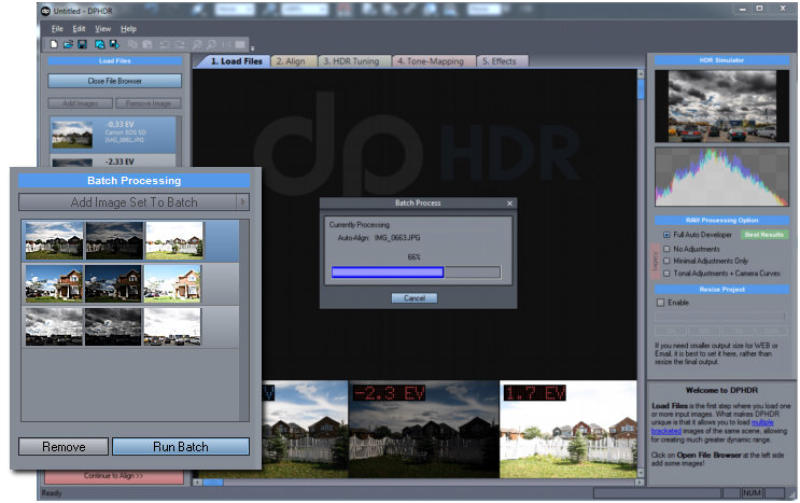
Easy to understand software with super fast previewLargest amount of operators and combinations in one single software
DPHDR offers many different tone mapping operator groups and sub-operators with various combinations. You can produce image from single or multiple exposures with many different looks; from natural smooth image to having painterly effect.
Pin Warping
Aligning image taken by hand is not any big problem in our software. The unique Pin Warping method can align even most stubborn images where camera shifted, changed roll, pitch or yaw.
Anti-Ghosting
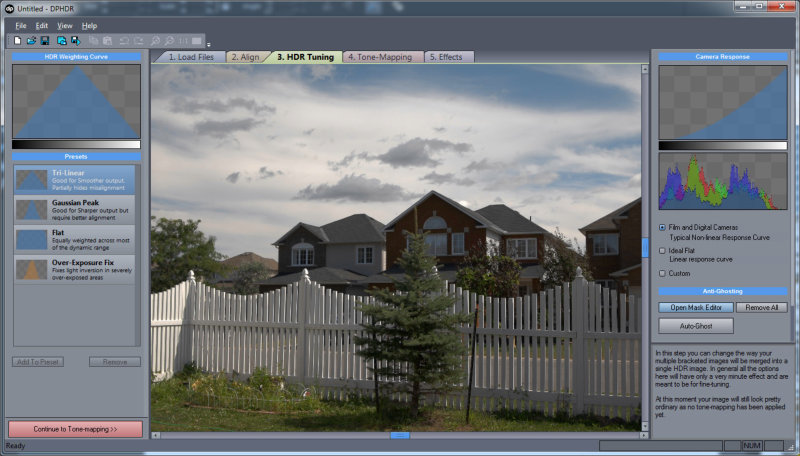
If an object moved while you were taking different shots, this would normally create a "ghost" on the final image. We added a powerful yet very simple to use anti-ghosting mask feature. Just paint over all instances of the moved objects (you don't even have to be very precise!) and it will without trace completely eliminate the ghosts from the final image. In Full version you can use Live HDR function. Just press Quick Preview button that will almost instantly show you the result HDR image with the anti-ghosting mask applied.
Silky-smooth sky
A common problem with over-processed HDR images is adding halo and noise blocks in large smooth areas such as clean sky.
3D Sky filter automatically adjust the tone-mapping to preserve the smoothness of the sky (Even if you really step on the "HDR effect" pedal as we did with the image below) And we added one for Skin too, so now you can tone-map portraits as well.
Add Effect to Video
Maybe you like to experiment with a
video. Now you can!
DPHDR 5 adds Experimental Video processing as
yet another mode to add artistic Tonemapped-look
to your clips.
Minimum System Requirements
Windows Version
MAC virtualized version

Server 1 (from
Mediachance)
How to Upgrade
If you already have previous version of DPHDR,
please go to your mailbox and look for the
original registration email from swreg.org.
Inside look for your personal download/update
link that starts with http://www.mediachance.com/files/xxx.....
Visit that link and it will give you the option
to get the latest 4.x version and upgrade to the
new 5.0 as well.
iPAD
and iPhone Version
We managed to squeeze the whole Pseudo HDR
part from DPHDR into IOS devices and we are
quite pleased with the result. You can
create an image that rivals anything "HDR"
on iPAD/iPhone but with the simplicity of
single image (you can also use the build-in
Camera on iPhone and iPad2). We split the
app to two versions: Dynamic Light
for iPhone and DynaLight HD
for iPad. (this was necessary for technical
reasons) Watch Video:
![]()
For iPAD here and for iPhone here.
DPHDR OSX (virtualized):
5.2
Note:
In the OSX virtualized version the drive
Z: is mapped to your Macintosh HD
For example to find Pictures go to My
Computer, Z:/Users/<Your Name>/Pictures
We suggest to use the built-in image
browser in the application to add your
images
iPAD
and iPhone Version
We managed to squeeze the whole Pseudo HDR
part from DPHDR into IOS devices and we are
quite pleased with the result. You can
create an image that rivals anything "HDR"
on iPAD/iPhone but with the simplicity of
single image (you can also use the build-in
Camera on iPhone and iPad2). We split the
app to two versions: Dynamic Light
for iPhone and DynaLight HD
for iPad. (this was necessary for technical
reasons) Watch Video:
![]()
For iPAD here and for iPhone here.
Match Color Tutorial
Read about Match Color function and the Mysterious Dutch Light that can be simulated by it.
Anti-Ghosting Tutorial
Download and read quick overview of anti-ghosting function
Two or Three exposures?
Here we will compare tone mapped results of the same image combined from various two exposures.
PopPhoto
tutorial and review of DPHDR
Virtualized MAC version
Note:
In the OSX virtualized version the drive
Z: is mapped to your Macintosh HD
For example to find Pictures go to My
Computer, Z:/Users/<Your Name>/Pictures
We suggest to use the built-in image
browser in the application to add your
images
If
you want to make your own wrapper for the windows
version on intel
MAC we would suggest you to use
wineskin and the latest windows trial version.
You don't need any other commercial
software to make it run on intel MAC.
The step by step guide is here:
If the above works for you with the trial, you can then register the Windows version and receive reg. code you will enter in the virtualized version on your MAC.
There are some differences in our virtualized MAC version from a normal MAC workflow:
DPHR having its roots on Windows, may be a bit confusing for the MAC users.
Please read the MAC user
workflow.
Native "lite" MAC versions :
Those lite versions will work only as a pseudo HDR until we come with a full native port (not there yet)
Dynamic Light, iPAD, iPhone, MAC Version
We managed to squeeze the whole Pseudo HDR
part from DPHDR into low cost IOS/MAC
versions and we are
quite pleased with the result. You can
create an image that rivals anything "HDR"
on iPAD/iPhone/MAC but with the simplicity of
single image (you can also use the build-in
Camera on iPhone and iPad2). We split the
app to two versions: Dynamic Light
for iPhone and DynaLight HD
for iPad and Dynamic Light for MAC. (this was necessary for technical
reasons)
For iPAD here and for iPhone here. Dynamic Light for MAC here.

Revitalize,
our first native MAC app in AppleStore.