



Windows 10, 11 (440MB)
(Includes the full local speech model)
Fast and highly accurate voice typing and voice commands - processed entirely on your PC, in any application, forever.
No cloud. No monthly fee.



100% Private
Your audio never leaves your computer.
No servers, no accounts, no cloud.
Everything runs on your own machine, in
real time.

One-Time Payment
Buy once, own it forever. No monthly
plan, no renewals, no surprise charges.
Updates included.

Push-to-Talk
Only listens when you hold your key. No
accidental captures, no awkward pauses.
You are always in control.
Works in Every App
Word, browser, email, chat, code editor,
games — if you can type there, Voice
Macros can type there for you.
Voice Commands
Go beyond typing. Say a phrase to fire a
keyboard shortcut, a key sequence, or
launch an application.
Fast and Accurate
Uses one of the most accurate offline
speech models available. Fast, reliable, and
entirely on-device.


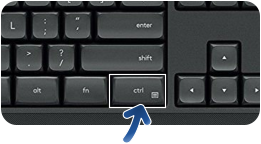
The default trigger is Right Ctrl.

Hold your key
Speak
Release & done
Press and hold whichever key you
assigned as your push-to-talk
trigger. Right Ctrl is a popular
choice.
Talk naturally. Voice Macros
listens and processes your speech
locally in real time
Let go. Your words appear instantly
wherever your cursor is.
Your voice as a remote control
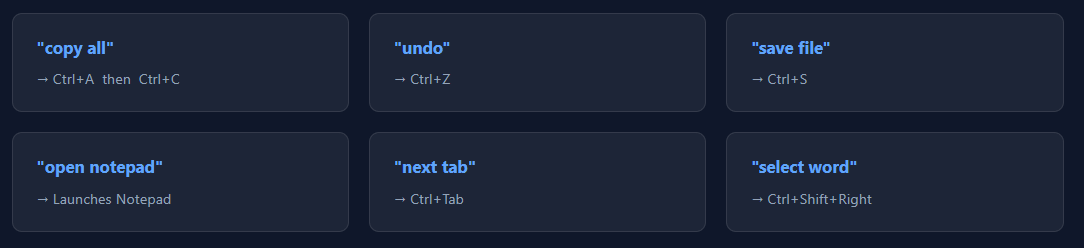
Assign any spoken phrase to a keyboard shortcut, a sequence of keys, or an app launch. Hands-free.
Most voice typing tools today rely on cloud processing. Every word you speak is recorded,
transmitted over the internet, and analyzed on remote servers before text ever appears
on your screen. This introduces unavoidable concerns around privacy, reliability, and
ongoing costs, since your voice data must leave your computer and depend on an
external service.
Voice Macros is fundamentally different. It performs speech recognition entirely on your own PC
using a local AI model, so your audio never travels to the cloud.
There are no accounts, no subscriptions, and no background listening. Just fast, push-to-talk voice
input that stays private, works offline, and remains under your full control.
Voice Typing & Macros (for Windows)
How Voice Macros stacks up
Feature
Voice MACROS
Other Voice Typing
Works completely offline





Audio stays on your machine
Push-to-talk control
Voice macros & shortcuts
•
Your voice is processed on your PC using a local
AI model, never uploaded anywhere.
•
Your transcribed text goes directly into your app,
no logging, no history stored somewhere in the
cloud
•
No account, no sign-in
•
No analytics or telemetry. We have no idea how
many times you use the app.
Nobody can see (or hear) your data
Hold down and speak
(The key that nobody uses)




About MediaChance
Products
Links