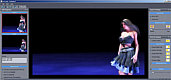

Too many DVD authoring packages on the market are restrictive, forcing the user to use pre-set DVD templates which might not suit a variety of situations. Ease of use and a wide array of options is the hallmark of DVD-lab, placing it above and beyond the competition.
"DVD-lab is far the most impressive DVD authoring program we've seen at this level. It treats grown-ups as grown-ups and provides a sensible working environment..." Peter Wells, Computer Video Magazine (Editors Choice Award)
DVD-lab Versions
DVD-lab pro is a legacy product that conforms to DVD standard. It does NOT have BluRay (BD) authoring capabilities,
DVD-lab line of products is no longer being developed any further
Versions
Most of the consumer DVD authoring tools underestimate users by holding their hands while guiding them through the DVD authoring process.


DVD-lab Standard (NOW FREEWARE)
DVD-lab was our first "entry" level authoring
tool. A solid interface and a great flexibility
that gained quite following on the web boards
and earned us many great reviews in magazines.
Serial number is in the download section
(Click Try it for FREE button)
DVD-lab PRO2
This is our flag-ship version. A fully mature DVD authoring tool that offers all the features of most expensive authoring application together with easy to use and ergonomic user interface. This is first time such a full featured authoring application is offered in a price range accessible for normal people.
The software will surprise you by its overall
speed and light feel. Scrolling through a movie
and adding chapters is a breeze. While you
compile the movie you can actually do other
things, even work on other DVD. It has
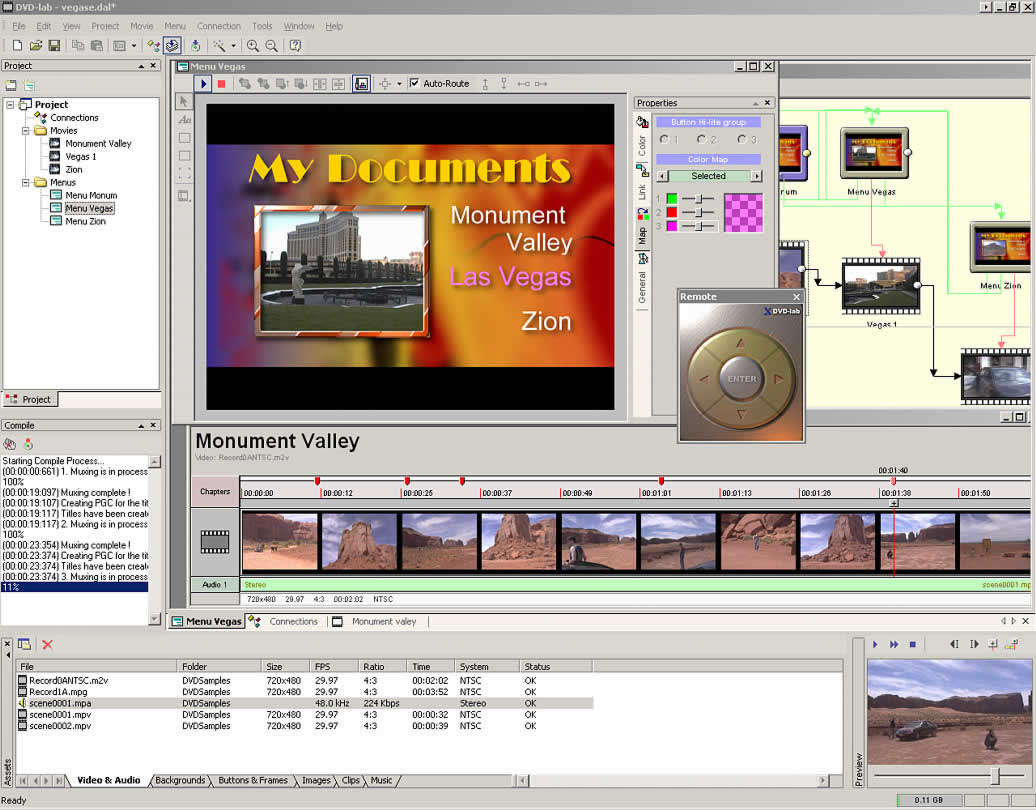
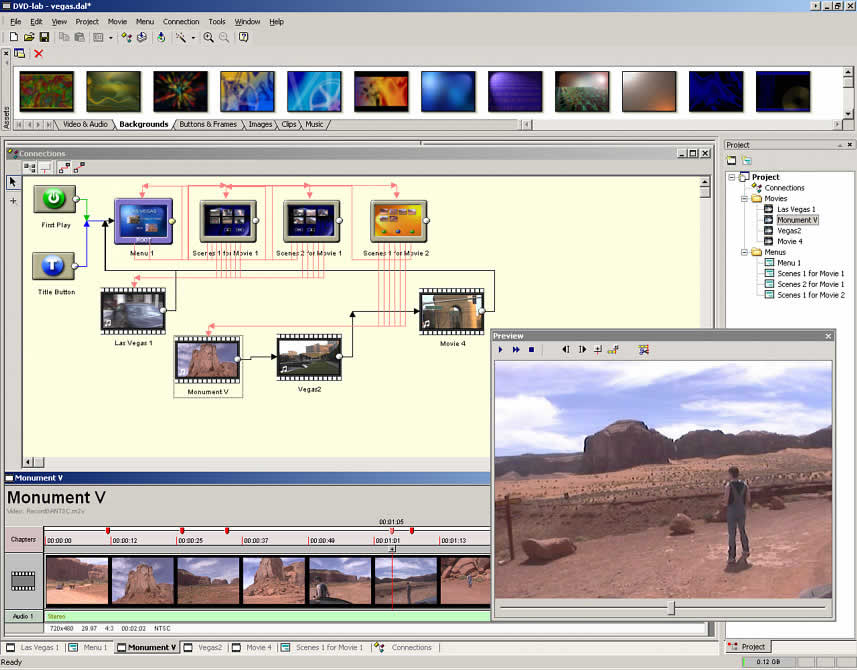
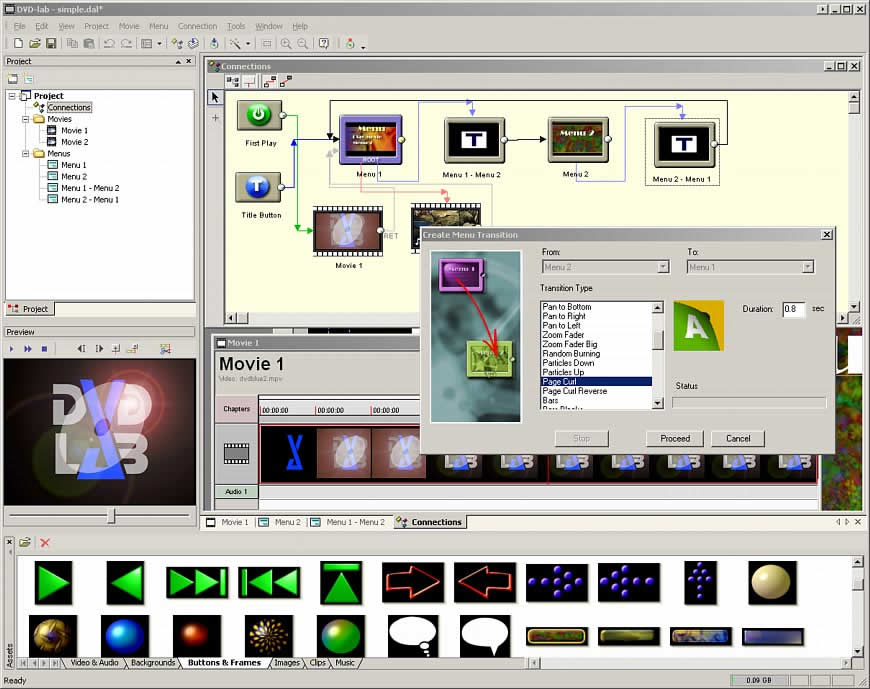
integrated menu creation, connection module and
DVD burning module.
It doesn't hide from you advanced aspects of DVD
creation yet it covers your back. For example it
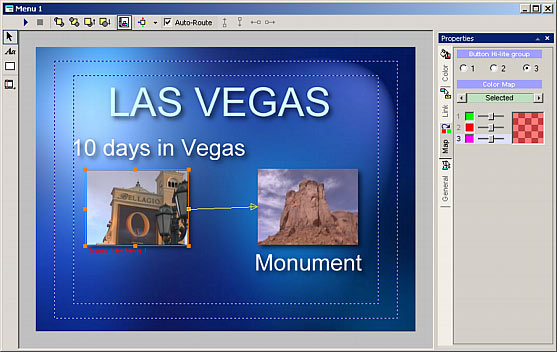
does Auto-Routing for buttons on menu, but you
can switch it off and route the buttons as you
like.
Comparison Table
| Features |
DVD-lab
|
Studio
|
PRO2
|
PRO2 ES |
| Video Editing |
 |
|
|
 |
| Import AVI, QT, DV |
|
|
|
|
| Number Of Titles | 99 | 99 | 99 in VTS ** | 99 in VTS ** |
| Number of Menus | 250 | 250 | 640 / VTS | 640 / VTS |
| Nr.Chapters per Title | 99 | 99 | 99 | 99 |
| Number of Audio Streams | 1 | 2 | 8 | 8 |
| Number of Subtitle Streams |
|
1 | 8 | 8 |
| Multiple Angles |
|
|
|
|
| Buttons over Video |
|
|
|
|
| Aspect Ratio more... | 4:3 or 16:9 | 4:3 or 16:9 | 4:3 and 16:9 | 4:3 and 16:9 |
| TV System | NTSC, PAL | NTSC, PAL | NTSC, PAL | NTSC, PAL |
| Motion/Audio Menu more... |
|
|
|
|
| AC-3, DTS support |
|
|
|
|
| Integrated menu creation |
|
|
|
|
| 24fps support |
|
|
|
|
| Menu Transitions more... |
|
|
|
|
| Multiaspect 16:9 menus more.. |
|
|
|
|
| Return to last menu |
|
|
|
|
| Texture Fill for menu more... |
|
|
|
|
| Advanced Menu Encoding |
|
|
|
|
| Object Styles |
|
|
|
|
| Play All support |
|
|
|
|
| Play List support more... |
|
|
|
|
| Multiple VTS more... |
|
|
|
|
| Mix aspects on one DVD |
|
|
|
|
| Audio-Only Track more... |
|
|
|
|
| Condition and Case List more... |
|
|
|
|
| Chapter Branching more... |
|
|
|
|
| Linking across domains |
|
|
|
|
| Dynamic FX more... |
|
|
|
|
| Delayed Menu Buttons more... |
|
|
|
|
| Intro Effect in Render Motion |
|
|
|
|
| Menu Cloning more... |
|
|
|
|
| VM Commands more... |
|
|
|
|
| VM Commands on Chapters |
|
|
|
|
| Chapter Skip |
|
|
|
|
| Scripting support more... |
|
|
|
|
| Use w/out Abstraction Layer more... |
|
|
|
|
| VM Debugger |
|
|
|
|
| VM Blocks |
|
|
|
|
| CC Line 21 support |
|
|
|
|
| OS* | Windows XP/Vista/W7 | |||
Q/A
Does DVD-lab re-encode my files?
(What files are supported?)
DVD-lab never re-encode your files. This was our
first important decision and it is in the style
of all high-end authoring tools.
First you have to prepare the video and audio
files using any of your favorite software or
hardware encoders (we
also sell some) and then add it to the
DVD-lab.
DVD-lab quickly checks and verifies the validity
of your files and then you can start creating
the DVD. The whole DVD compilation lasts just
few minutes. This is important when you are
making a professional DVD. You will likely want
to change the DVD flow few times and short
compiling times are essential.
DVD-lab therefore support all DVD specification files: MPEG2 for video and MPA, AC3, DTS, LPCM for audio including multi-channel audios.
Is PRO version much more difficult
than Standard?
Our goal was to make software that offers full
scale of features but yet doesn't necessary
require you to understand them all at once.
DVD-lab PRO allows almost immediate jump-start.
No need to absorb every detail. The idea is that
you learn as you go and start using more
advanced features when you need them. If you can
work with Standard version you can work with PRO
for sure.
Is Studio version more difficult than
Standard?
No, we kept the look and feel of Standard
version without any un-necessary clutter, but
added some new features from PRO version, like
increasing number of audio tracks or adding Play
All and Return to last menu.
How fast can I create my very first
project?
In 10 minutes. Just read the one page
quick tutorial. This apply to both Standard
and PRO.
Why the PRO version has two kinds of
menus (VTS Menu and VMG Menu)?
Because DVD specifications has two kinds of
menus. Many other advanced authoring
software pretend they have only one type of menu
to be "easy" on users. Then, behind your back
they place the menu to VMG or VTS domain
depending on the most probable situation. That's
simply wrong. The true value of advanced
authoring application is that you are in the
control, not the application.
I don't understand all the VMG, VTS
terms...
We had to learn it as well. You don't need to
understand any of this in PRO because the
software will teach you. For example you will be
happily building your DVD's for months the
simple way. Movies, menus then link. Then one
day you will add both 16:9 and 4:3 movies. When
you compile the software will tell you - sorry
but you have to put each movie into separate
VTS. Soon after that you will discover the need
for VMG menu. Learn as you go.
Do I have to use/learn
VM Commands for
PRO?
No. This was added for the more advanced users
that need to create a very special structure.
Unlike other software that use VM commands, in
DVD-lab you don't have to even know they exist.
But VM Commands allows you to go beyond advanced
authoring.
How complex is the created
DVD structure in PRO?
The Abstraction layer (or the DVD structure that
DVD-lab creates) may be one of the cleanest you
have seen. We use only few registers
(GPRM11-GPRM15) in our AL for DVD-lab code
(playlist, menu highlighting, return to last
menu etc..), the rest is for you freely to use
in VM Commands. We are very careful to create
only the commands that are necessary for the
project, so the DVD will be clean. No unused
code, no large command structure that jump all
over the place. Lean code.
For special needs you can even switch off the
Abstraction Layer can be
switched off and start building your DVD in
low-level.
The PRO looks great, but I don't
think I need all the features...
While the PRO 2.0 is the best deal for the buck
(you can't get such features for the same money
anywhere else) we also created Studio version
that bridges the Standard and PRO. Still there
is very straightforward upgrade policy between
Standard, Studio and PRO.
Screen-shots



Requirements
Minimum System Requirements
- Microsoft® Windows® 7, Vista or XP (32-bit or 64-bit editions)
- 1 GHz processor or better
- 2 GB of RAM
- 1 GB of free disk space
- Minimum screen resolution: 1024 x 768 (highly recommended higher resolution)
Important: When Entering registration code on Vista and W7, first run the DVD-lab Standard and Studio as Administrator (right click on icon - Properties, Security Tab, check Run as Administrator) then run it and enter the code. It is not necessary for PRO 2.

Free Trial
Platform: XP, Vista, W7 (32/64 bit)
DVD-lab PRO 2.52
The latest version
-
DVDlabPRO252.exe
(2.52) from Mediachance
(Installation Includes demux hotfix and UTF-8 subtitle hotfix)
PSC version 2.31 Vanilla (production
standard compiler)
The DVD-lab PRO 2
version 2.31 (with compiler 4.00.42) had the longest period of testing with industry professionals
(including many Hollywood studios) spanning over multiple years and therefore it
earned status of "production standard".
If you
need the most independently approved version of
DVD-lab PRO 2, this is it.
This version includes the demux hotfix.
- DVDlab2PSC.exe from Mediachance (2.31 Vanilla)
PSC version 2.31 Merge
This merges most of the new changes and fixes up to
version
2.5 while still running the older production standard
DVD compiler 4.00.42.
This version includes the demux hotfix.
- DVDlab2PSCMerge.exe from Mediachance (2.31-2.5 Merge)
Which version?
Normally you should start with the 2.52 version
and go to PSC versions if you start having
issues such as memory errors when making
multiple VTSs.
The PSC 4.00.42 compiler is
much smaller and so it will not that easily run
out of the memory when producing multiple VTS.
The PSC Merge version is a
hybrid that was created later by incorporating
most of the later introduced changes back into
the 2.31 code. It should be as stable as the
2.31 but it wasn't tested as thoughtfully as the
vanilla 2.31
Note: You can run multiple versions if you install them to different folders. They all use the same registration code.
Other Versions
- DVDlabPRO251.exe from Mediachance
- DVDlabPRO250.exe from C'NET download.com
- Download
demux.zip
(0.1MB)
Unzip it and put the demux.aux to the DLP2 folder replacing the demux.aux there
DVD-lab Studio 1.25 (no longer
offered, download only if you need to reinstall)
-
DVDlabStudio.exe from
Mediachance
-
Important: When Entering registration code on Vista and W7, first run the DVD-lab Studio as Administrator (right click on icon - Properties, Security Tab, check Run as Administrator) then run it and enter the code.
DVD-lab Standard 1.0 (FREE)
-
DVDlab.exe from
Mediachance
-
Important: When Entering registration code on Vista and Win 7, Win 8 , Win 10, first run the DVD-lab Standard as Administrator (right click on icon - Properties, Security Tab, check Run as Administrator) then run it and enter the code.
-
Serial Number: DLBWAA251454AZD
Unlock Code : 673795895024078
Works with Windows XP, Vista 32/64 bit and W7 32/64 bit
Video
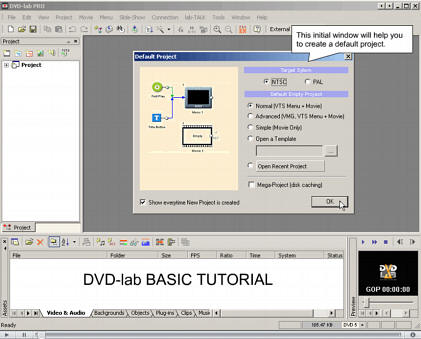
DVD-lab Basic Tutorial
The very first steps with DVD-lab
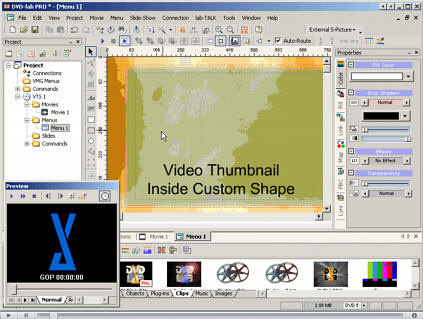
Video Shape
Put a video thumbnail inside any shape. It can be used as a still or later render as Motion Menu.
Resources
MPEG2 source creator for only $12
If you need a well tested lean MPEG2 encoder for
your DVD projects we pre-purchased a rather
large number of copies of DVD Source creator 2 from pegasys
way back. This is old version 2.0 but it works extremely well for mpeg2.
Get the file
here (2.4 MB) and purchase
here for only $12.
Basic workflow and Quick Tutorial (apply to
all DVD-lab/Studio/PRO2)
- Quick tutorial (In English)
- Mise en route rapide (In French)
- Snabbguide (In Swedish)
- Lær hurtigt manual (In Danish)
- Kurzanleitung (In German)
- Conoscenza (In Italian)
- Snelle Tutorial (In Dutch)
- Guía Rápida (In Spanish)
- Краткое руководство (In Russian)
- English
- French (transl. by Gérard MICHAUX)
- Italian (transl. by McMarco)
- Danish (transl. by Ingmar Jørgensen)
- Russian (transl. by Valeriy Barabanov & Yuriy Belyaev)
For more advanced tutorials please visit DVD-lab PRO 2 page
Just In

Photo-Reactor is a new highly
optimized multi-threaded dynamic image editor and
effect processor for 21st century.
Read more...
May we suggest?

You may also like...
Smart way of changing aspect ratio for DVD-menu still images or digital photography. Read More here.