
EditStudio is for DV and standard definition editing (NOT HD). It is a full video editing package with standard windows interface, multi-camera support, professional quality tools and results. It is a flexible tool that offers all types of standard and advanced video capturing, editing and Subtitling in one package.
"Edit Studio boasts an array of features which can only have come from listening to us, the end user." Marc Peters Digital Director UK
Edit STUDIO 6 (DV, SD)
 $25 USD

Overview
There are many video editing applications, but few are both affordable and offers such a strong list of professional features. Because of our price policy, EditStudio PRO is very affordable.
30. Nov 2012 - Due to the expiration of license between Mediachance and Rovi corp the new owner of Mainconcept MPEG2 engine, Edit Studio 6 installation no longer contains Mainconcept MPEG2 libraries.
From this date the price of EditStudio had been permanently cut and
remains an excellent and inexpensive choice for
DV and AVI codec based editing with multiple
camera support.
Note:
installing the free
K-Lite Codec Pack Basic enables import and
expert of many video formats through Direct
Show.
If you own previous Edit Studio and need download the MPEG2 libraries, you can do from this link.
Clean Video Editing Approach
You will soon discover one of the EditStudio strongest feature - the unlimited stackable effects and transition layers.
Instead of applying the effect directly to a video track, you can use the effect tracks instead.
This makes handling the project much easier and much more visually oriented than in other applications. It is easy to position the effect to the exact frames without splicing the video. It is easy to move the effects or resize them in timeline or even copy and paste them without touching the video tracks!
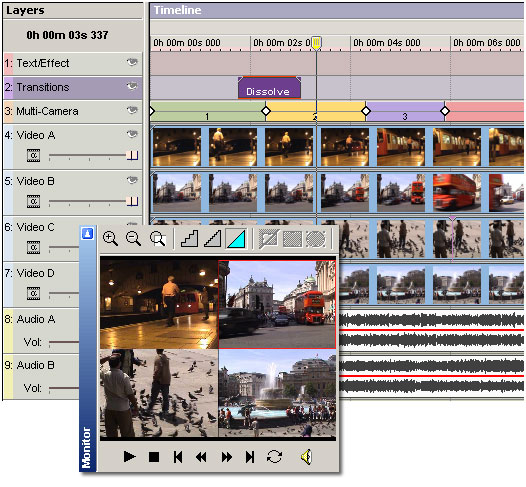
Easy to use,
innovative Multi-Camera Editing
Thanks to the EditStudio unique layered Effects,
multi-camera editing uses very clean approach.
No splicing and dicing of your videos. The
switching between different cameras is done
right on the Effect layer, without actually
touching any of your synchronized videos. And
adding transitions between the cameras is
equally simple, just add it over the cut on the
Transition Layer!
"This technique is extremely effective for adding interest and an air of professionalism to company videos, weddings, gigs and many other productions. It's almost impossibly fiddly to achieve in the other packages ..., but EditStudio makes it easy, even surpassing similar tools in Vegas Pro and Premiere Pro." expertreviews.co.uk
Add Subtitles and Chapter Marks
Adding frame accurate subtitles using subtitle
Marks is now much easier with EditStudio PRO.
You have the benefit of hearing and seeing the
exact scene and the audio. The subtitles are
also displayed on the Preview monitor during
playback, making it easy to evaluate the timing.
Then at the end you will just export them as
*.SUB files that you can use in DVD-lab PRO or
other professional DVD authoring application.

PRO Tools
You will be surprised to find many professional
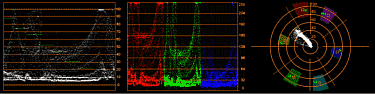
tools such as Vectorscope, Waveform, RGB Parade,
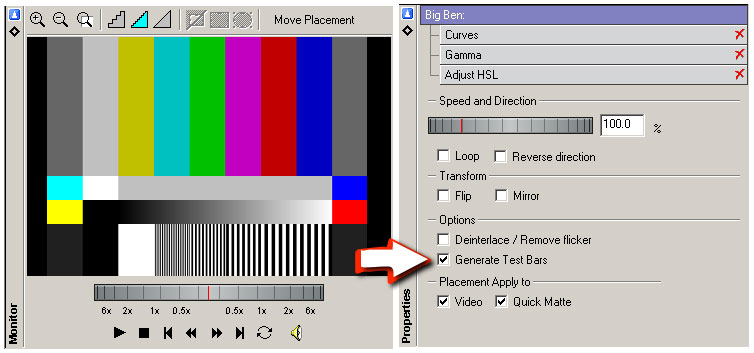
Tone and Bar generators, IRE safe Colors,
3-point Color correction, Chroma/Luma-key, Quick
Matte etc.
What's New
- Streamlined Interface
- Integrated Multi-Camera editing
- Alpha Transparency on layers and various overlay modes
- Vectorscope/Waveform/RGB Parade (also Live Scopes in capture)
- Navigator View (allows easy access to whole project)
- Color Bar and Tone generators
- Quick Matte to directly paint Transparency Matte on a video with a brush
- Mark In/Out dialog
- Easy access to Toppings from Properties
- Templates for HDV HD1 and HDV HD2
- Audio/Video loops and multiple Loop Markers
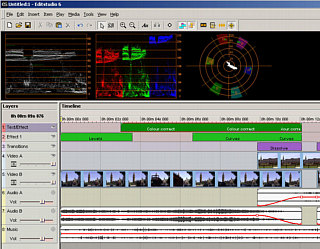
You can now open
Vectorscope panel
Features
At a glance:
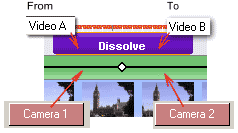 A
camera cut is on separate layer
A
camera cut is on separate layer- Unlimited Composition layers for Video, Text, Audio and Effects
- Key-frame editing
- 3 point colour correction; this provides advanced color correction and color matching
- Digital photo quality levels and curves controls
- Chroma and Luma Key
- Vectorscope, Waveform and RGB Parade scopes
- DV, AVI, Windows Media and QuickTime export
- Editing enhancements: autoripple, cut out, trimming in timeline, delete space, auto audio crossfade
- Audio manipulation - 5 band equalizer, speeding, slowing
- Adding Subtitles
All the expected Editing Tools for
MiniDV and DV tape-based cameras
You can trim items directly on timeline with
support for slip editing, to retain the items
running time. Interactively adjust audio volume,
balance and pan via rubber bands. Version 6 adds
easy J and L cuts for linked items.
Composing Features
Interactively drag to move and resize the bitmap
or video placement to create dynamic
picture-in-picture or motion effects (i.e. the
"Ken Burns- effect)
Motion paths can include mixture of linear and
spline curves. Objects can be moved and resized
by dragging with the mouse or entering
coordinate values for accurate placement with
instant feedback.
Effects & Transitions
There are not many other applications that come
already with such a great variety of pro-grade
effects. Chroma Key, Luma Key, Realistic Old
Film effect, Flare, Color and Gradient filters,
Route Tracer for animated routes or graphs, Knock
Out for removing on-screen text or graphics
and much more. Effects can be applied also only
to a circular or rectangular region of frame.
For example you can blur out a face of a person
and then keyframe the blur region to move with
the person.
There are also many user customizable
transitions, over 100 transitions are provided,
more available through Herb Garden.
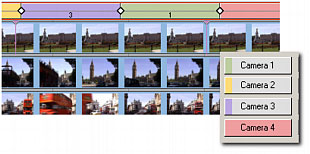 You
can cut to video using buttons or keyboard
shortcuts
You
can cut to video using buttons or keyboard
shortcutsText and Titling
Very few packages come close to the text functionality of EditStudio. Titles supports stationary text, as well as scrolling text, credits and crawling motion with many motion presets. You can mix fonts and styles, outline, glow or drop shadow. But that's not all! Letters of title can ripple, twist, come to screen one after another or use staggered effect. You can also insert a special purpose tag that can display a counting timecode or frame number (for example for creating production copies)
Keyframes
Here we go to the area where only true
professional packages will let you. You can set
key-frames for frame (video, image) placement,
audio and many effects, then edit key-frames
directly on the timeline. Linear, step and
spline interpolation types are supported, along
with ease in / out acceleration.
Capture
EditStudio has integrated analogue and DV
capture with automatic scene detection using
optical or DV timestamp methods. Also you can
preview directly into DV device.
List of included Import/Export
plug-ins
EditStudio 6 is supplied with many high-quality
internal import/export plug-ins to overcome the
common codecs nightmares, but works also with
other DS codecs for added flexibility:
- DV file with smart rendering: Internal Import/Export
- Windows Media 7,8,9: Internal Import/Export
- Quick Time: Import/Export (require QuickTime installed)
- AVI (DIVX, XVID, MJPEG etc..) using available DirectX codecs. (*See Note)
- MP4, H264 AVC Import (require QuickTime 7.3 and ffdshow, use K-lite Codec Basic pack for many supported formats)
- Frame-Serving to other applications using free Debugmode Frameserver
Note: DIVX or XVID formats were developed as highly compressed distribution formats and are not very suitable for video editing (quality and speed issues)
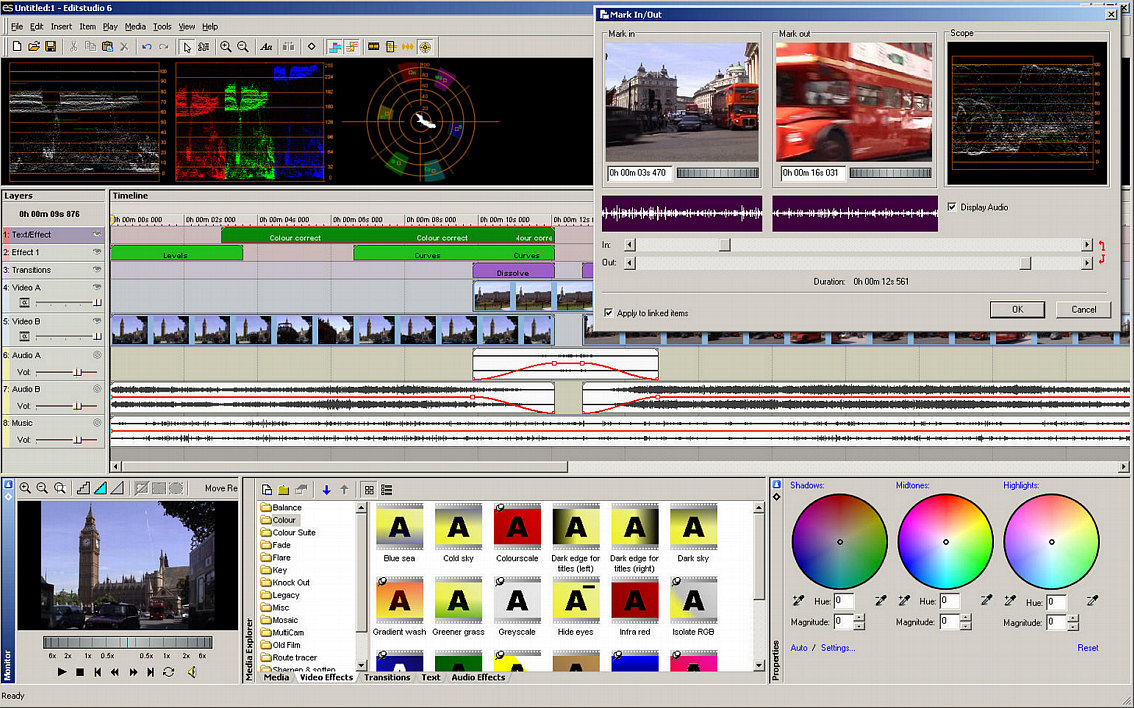
Screen-shots

Requirements
Minimum System Requirements
- Microsoft® Windows® 7, Vista or XP (32-bit or 64-bit editions)
- 1 GHz processor
- 2 GB of RAM
- 1 GB of free disk space
- Minimum screen resolution: 1024 x 768 (highly recommended higher resolution)
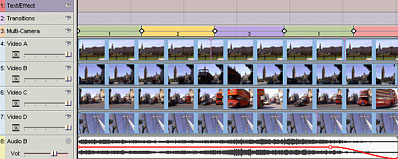
Multi-camera
Free Trial
 Platform:
XP, Vista, W7 (32/64
bit) 57 MB
Platform:
XP, Vista, W7 (32/64
bit) 57 MB
Version: 6.0.5 LMT
(does not include Mainconcept MPEG
libraries)
-
EditStudio (24.6 MB)
from mediachance
This is a 30-day fully functional Trial version.
MPEG2 libraries for previous owners if you need to reinstall EditStudio
EditStudio SDK
Free EditStudio SDK for developing Edit
Studio Plug-ins such as Effects,
Audio/Video Filters and file format
Input/Output plug-ins
- Full SDK Documentation
- Several examples
- Plug-in Builder tool to aid in the creation of new plugins
- Download ES SDK 2.0 here (500 kB). (VC++6)
Works for Windows XP, Vista 32/64 bit and W7 32/64 bit
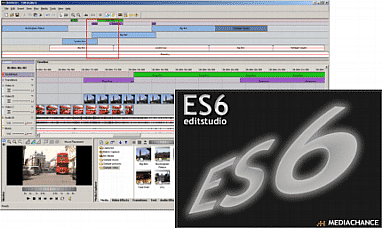
Tutorials
Multi-Camera editing.
EditStudio 6 has direct support for editing multi-camera
footage. It uses some of the unique properties where the
effect (here the multi-camera switching) is applied in
its own track and it never touches the underlying
videos.
Read full tutorial here or download PDF file
- Multi-Camera Editing (PDF)
Video
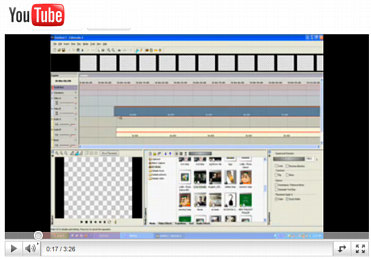
User video, tutorial for split screen/matte paint.
Also good to see the basic ES workflow.
May we suggest?

Great Combo
Check out the suite that includes DVD-lab PRO2 and EditStudio in one bundle.